Skip to content
Rilongbao Rilongbao
Home Search Restore LUT Pro
English 简体中文
Log in Sign up

LUT Preview

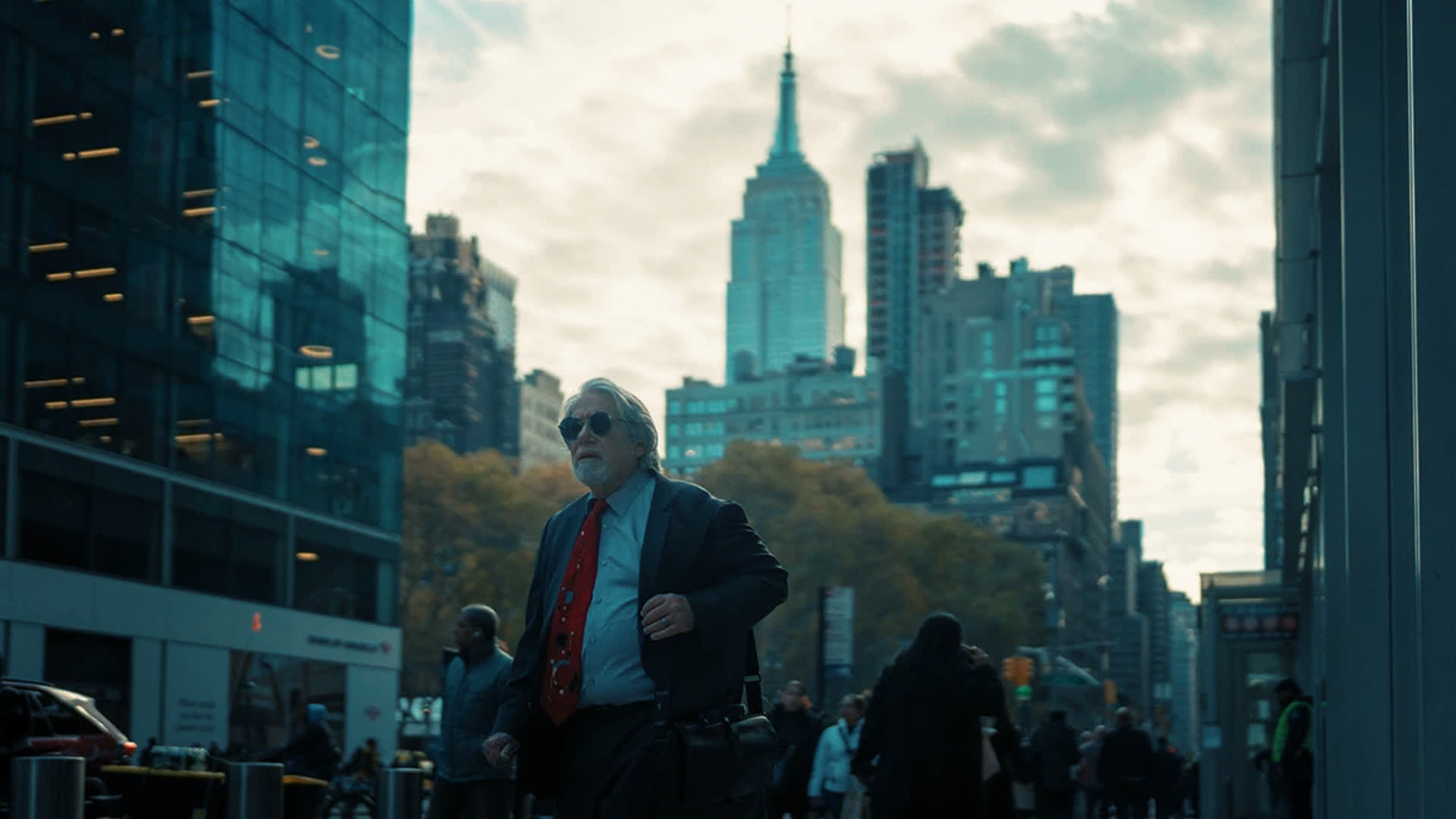
Cinematic Teal & Orange LUT with Enhanced Skin Tones and Warm-Cool Contrastunlocked Rating No ratings yet

Drag the center handle to compare before and after.

before
after

Main action

Download Rec.709 Download LOG/HLG Version Download to Blackmagic Camera

Creator

Yui Hatano
Yui Hatano

Bloom where you're planted

View creator page

LUT Description

#Universal Camera Support#Cinematic#Mid-Low Contrast#Warm-Cool Contrast#Skin Tone Enhancement#Teal & Orange Tone

Related LUTs

Matched by tags and description

Cyan-Orange Magic
Cyan-Orange Magic
⬇ 1
◉ 47
#Cinematic #Slight Desaturation #Mid-Low Contrast
Download
Yui Hatano
By: Yui Hatano
Cool Orange Cinema High Contrast Narrative
⬇ 3
◉ 51
#Cinematic #Street Snap #High Contrast
Download
Yui Hatano
By: Yui Hatano
Warm Cyan-Green Cinematic LUT
⬇ 3
◉ 44
#Cinematic #Mid-High Contrast #Slight Desaturation
Download
Yui Hatano
By: Yui Hatano
High Contrast with Bronze Skin Tones
⬇ 0
◉ 17
#Cinematic #Skin Tone Enhancement
Download
Timo
By: Timo
LomoChrome Color '92 Enhanced
⬇ 137
◉ 1533
#Cinematic #Japanese Style #Vintage
Download
Movie Luts
By: Movie Luts
Studio Ghibli Anime Style
⬇ 699
◉ 3532
#Cinematic
Download
Helpful User
By: Helpful User

Choose Camera and Color Space

Download Shortcut

Make sure Blackmagic Camera is installed on your phone first. Download the shortcut, return to this page and tap "Generate Code", then run the shortcut and enter the extraction code to send the LUT into Blackmagic Camera. Do not open the shortcut in edit mode; if it becomes damaged, re-download it.

We only use essential cookies to keep you signed in and to secure the site and payments. We do not use advertising or third‑party analytics cookies.

Notice

!
Message
Required0
Current0